Showing posts with label Google Trends. Show all posts

Google Trends for Subdomains

At launch, Google Trends for Websites didn't support subdomains. Google's service has been updated and you can now use it to find traffic information about subdomains.

"With Google Trends for Websites, you can get insights into the traffic and geographic visitation patterns of your favorite websites. You can compare data for up to five websites and view related sites and top searches for each one. Trends for Websites combines information from a variety of sources, such as aggregated Google search data, aggregated opt-in anonymous Google Analytics data, opt-in consumer panel data, and other third-party market research," mentions Google.


Google doesn't show traffic stats for most of its domains, but you can find information about blogger.com, vevo.com, android.com, chromium.org, googlelabs.com, orkut.com and obscure domains like ggpht.com, googleusercontent.com and gstatic.com.


{ Thanks, TOMHTML. }

Google Hot Trends OneBox

Google started to show an OneBox at the bottom of the search results for the queries listed in Google Hot Trends. The OneBox mentions that a certain query is "#N of 100 most popular searches in the past hour", even though Google Hot Trends doesn't aggregate the most popular searches, which are pretty boring and don't change very often. As Google's blog explains, "Hot Trends lists the fastest rising searches on the web at any given hour".


Google uses the fact that a query is suddenly popular in various ways: for example, to include recent web pages in the list of top results or to show results from Google News and Google Blog Search. Unfortunately, Google Hot Trends doesn't do a good job at explaining why a certain query is popular, so Google should add more real-time news sources like Twitter, Flickr, YouTube.

Swine Flu Trends

Last year, Google released a report which showed that flu-related search terms are good indicators of flu activity. Google Flu Trends uses information about the popularity of some searches in the US to estimate flu activity almost in real-time.

The experiment has been expanded to the searches from Mexico, the country that has the largest number of reported cases of swine flu. "Unlike Google Flu Trends for U.S., Experimental Flu Trends for Mexico was not built using historical data on flu symptoms. This means the models have not been checked against actual historic flu data from Mexico and thus the estimates you see for Mexico are unverified. The models for Mexico are based on aggregated search queries likely to be associated with influenza-like illness."


Google's search data showed that flu-related queries started to become more frequent this month. "Last week, at the request of the Centers for Disease Control, Google took a retroactive look at its search data from Mexico. And there the team found a pre-media bump in telltale flu-related search terms (you know, "influenza + phlegm + coughing") that was inconsistent with standard, seasonal flu trends," reports Wired. "The system has detected increases in flu-related searches in Mexico City (Distrito Federal) and a few other Mexican states in recent days, beginning early in the week of April 19-25," informs Google's blog.

A map that lists the latest cases of swine flu is available at Google Maps.

More Google Search Insights

Google Insights for Search, a more advanced version of Google Trends, started to show data for three specialized search engines: Google Image Search, Google News and Froogle. You can now see the most popular queries from Google Image Search in United Kingdom, the most popular news-related searches in Quebec or the locations where "Michael Jackson" was a popular news search in 2009.


Insights for Search offers a very interesting feature for disambiguating queries. For example, you can find data about the query "tiger" and restrict it to the computers & electronics category or the sports category. Google suggests the appropriate categories and subcategories and it shows their relative popularity. It would be interesting to see a similar feature for web search results.


{ via Inside AdWords }

Oxymoronic Google Trends

Randall Munroe from xkcd imagines some correlations between Google searches and people that are unlikely to use them. The #1 US state for [men kissing] is indeed Utah, but the other correlations are made up.


Tip: track the fastest rising queries from your region using the Insight for Search gadget.

{ Image licensed as Creative Commons Attribution-NonCommercial. }

Google Hot Trends, Christmas Edition 2008

Google Hot Trends shows the searches that have suddenly become popular in the US. It's always interesting to see what are the "hottest" queries on Christmas Day, when many people open their presents and then use Google to find information about them.


Check the "hot trends" list and see if there's any change from last year. iTunes seems to dominate the list of popular queries: [www.itunes.com downloads], [itunes download], [itunes store], so Apple's iPhone and iPod continue to sell well.

According to Google Zeitgeist, the fastest rising query for 2008 was [Sarah Palin], followed by [beijing 2008], [facebook login], [tuenti]*, [Heath Ledger] and [Obama]. Google continues to be popular: [orkut] is the most popular query in Brazil and India, [youtube] is the most popular query in France, Spain, Italy and Mexico, the fastest rising query in Denmark was [google oversætter]**, while in Australia, the home country of Google Maps, the third fastest rising search was... [google maps].


* "Tuenti is a Madrid-based, invite only private social networking website that has been referred to as the Spanish Facebook," according to Wikipedia.

** Google Translate

Google Search Insights

Google Trends is useful if you want to compare the popularity of two or more search terms, but it can't generate lists with popular search terms from a category, like in Google Zeitgeist. You need to provide the search terms and adjust them until you found the most popular keywords, but this is time consuming and ineffective.

Google Insights for Search categorizes searches and shows popular queries from a category like Telecommunications, popular queries from a certain country or from a specific date range. You can use it to find answers to questions like:

* what are the most popular cars in the US this year?
* what are the top searches in France for the past 30 days?
* which file sharing services were the most popular in 2007?
* what was the distribution of the Google searches for iPhone in the US last month?
* what are the top searches related to Google this year?


The service has been created with the advertisers in mind and has many potential business uses: examining seasonality, comparing synonyms, finding regions that are interested in a certain product.

To group multiple keywords, separate them using +. To compare two or more keywords, click on "Add search term" or separate the keywords using a comma.

Google Trends Shows Traffic Stats

Google Trends no longer displays only information about searches, now you can use it to compare the daily unique visitors for two or more sites. To see the actual numbers, you need to log in using a Google account.

It's interesting to find the sources used by Google to estimate the traffic of a web site. According to the help page, "Trends for Websites combines information from a variety of sources, such as aggregated Google search data, aggregated opt-in anonymous Google Analytics data, opt-in consumer panel data, and other third-party market research. (...) Additionally, Google Trends for Websites only shows results for sites that receive a significant amount of traffic, and enforces minimum thresholds for inclusion in the tool."

For example, Google Trends estimates that the number of daily visitors for Facebook.com is 30 million, 3 times bigger than one year ago. You can also find the countries where a site is popular, related sites and searches.


One interesting tidbit: you can't see traffic data for most Google sites, although there are some exceptions. "We have policy of not providing interim financial guidance, and have decided not to release Google numbers in accordance with that policy," explained a Google spokesperson. I don't think this makes sense, as Google wouldn't release its internal traffic data, but only a rough estimation.

Google's blog for webmasters warns that the data may not be very accurate. "Keep in mind that Trends for Websites is a Google Labs product and that we are experimenting with ways to improve the quality of the data. Because data is estimated and aggregated over a variety of sources, it may not match the other data sources you rely on for web traffic information."

There are other services that show web traffic stats: Compete, Quantcast (for US traffic), Alexa, but it's difficult to compare Google's data with the information provided by those services because they use different measures: daily uniques vs monthly uniques, actual numbers vs reach, worldwide visitors vs US visitors.

Google Trends with Numbers

Google Trends, the service that compares the volume of searches, has been updated to show numbers on the vertical axis. "These numbers don't refer to exact search-volume figures. Instead, in the same way that a map might scale to a certain size, Google Trends scales the first term you've entered so that its average search volume is 1.00 in the chosen time period," explains Google Blog.


Now that you can compare more accurately the popularity of up to five search terms, there's also an option to download the data as a CSV file: http://www.google.com/trends/viz?q=QUERY&graph=all_csv. The file actually contains values separated by tabs, so change the extension to tsv before uploading it to Google Spreadsheets.


Google doesn't show absolute numbers for competitive reasons, but also because those numbers wouldn't be exact. "Google Trends analyzes a portion of Google web searches to compute how many searches have been done for the terms you enter, relative to the total number of searches done on Google over time."

The new features are available only if you sign in, probably to protect against automatic data download. If you try to download a CSV file without being logged in, you'll get a file that contains this message: "You must be signed in to export data from Google Trend". An API would've been a better idea.

Popular Christmas Gifts in the US


Google Hot Trends is a great way to see what are the most popular Christmas presents, at least in the US. You only need to look at the URLs entered in Google's search box (people still haven't discovered the address bar):

4. www.zune.net/setup
7. itunes.com
11. www.myepets.com
16. www.shiningstars.com
29. webkinz.com
34. att.com/activations
41. virginmobileusa.com/activate
45. www.apple.com/support/manuals/ipod
52. apple.com/ipod/start
65. www.tracfone.com

Can you guess the presents? Did you receive something similar? Note that the list is updated every hour, so you may see a different hierarchy.

{ Thanks, TomHTML. }

Google Trends, Updated Daily

After many complaints about the infrequent updates from Google Trends, Google decided to allocate more resources for the project and update the data daily. Google Trends shows information about queries: how popular they are over time, the locations where they are popular and some news that might have influenced their popularity. Google Trends doesn't show actual numbers, so the best way to draw some conclusion is to compare two or more related queries.

For example, the graph below compares how often people entered in Google's search box orkut, Facebook and MySpace in the last 12 months. As you can see, MySpace's popularity is declining, Facebook grows steadily, while orkut is pretty constant. You can also see that orkut is popular, but mostly in Brazil and India.


Now that Google Trends has fresh data every day, it would be nice to have an embedding option. It's easy to hot link to the image, but Google could provide a mini-version of a Google Trends page that shows the graph and the refinements. Maybe they can even build a site like Swivel that lets you rate Trends comparisons, add comments and find explanations for the bumps.

Another improvement would be to automatically generate related queries using Google Sets or even from Google's live data. This could be even more useful if you could discover related queries that are popular in a region: for example, enter [MySpace, Facebook] and find other popular social networks in Russia.

{ via Google Blog }

Google Hot Trends Has a Feed

A good way to find the latest important events is to monitor the queries from a search engine and look at the queries that suddenly become popular. Google offers a list of "hot" queries updated hourly. For each query, you can see a chart that reflects its evolution and a list of search results that could explain why it became popular.

Now you can subscribe to Google Hot Trends' feed and keep an eye on what people are searching for. Note that the list is restricted to the US and the first feed item shows the most popular queries from the last hour.

The presentation isn't great, but this feed makes it easier to create web applications that use the data. There's also a third-party gadget that displays the top 10 queries.

You can use Google Reader to reconstruct the archive or just to search the feed and see how often the iPhone, Britney Spears or Ivan the Terrible were a hot topic.


New Data in Google Trends

Google Trends has new data. The last update was in March, so Google should allocate more resources to this project and push new data more frequently.

Some trends: the number of searches for Google Maps grows faster than for Mapquest, the leader in online maps; Facebook has stirred a lot of interest lately, but the number of searches has barely surpassed orkut's searches; Google Reader grew a lot since last year's relaunch, while the interest for Bloglines is constant; YouTube generates more interest than Google. Can you find some interesting trends for this year?


Hot Trends in Google Search


Google Trends has something new: a daily Zeitgeist. Google lets you see the 100 queries that had the biggest evolution in a certain day. For now, Google only shows the "hottest" queries in the US, but other countries should follow.

For each query, you can see a graph that shows the popularity of the query, related searches and the top results from Google News, Blog Search and Web Search. These results should explain why the queries are popular.

Like the old Zeitgeist, Google Hot Trends will be an archive of the most important queries. That means you can select a day from the past and see the people, the events, the questions which defined that day.

According to Reuters, "Hot Trends (...) will be refreshed several times daily, using data from millions of Google Web searches conducted up to an hour before each update".

The list for May 21 includes two very long and improbable queries:

* #26: [what did lawyer ellis rubin suggest prison inmates could donate in exchange for reduction in their sentences in 1992]

* #90: [who was the first new world explorer to take a dip in the springs of what's now hot springs arkansas]

... and is topped by Avandia, a drug prescribed to treat diabetes that was found to increase the risk of heart attacks.

Google Trends Shows New Data

This is for the sad people that couldn't understand why Google Trends stopped to show new data in November last year. Google Trends has new data, this time until February 21.


Google Trends Competition

Using Google Trends, you can compare the evolution of the popularity of different products or brands:

Yahoo Mail vs Gmail vs Hotmail -> Winner: Hotmail, second place: Gmail

XBox vs PSP -> Winner: XBox

YouTube vs Google Video -> Winner: Google Video (but YouTube has a very fast rise)

Winamp, Real Player, Windows Media Player, iTunes -> Winner: Winamp, second place: WMP

Firefox, Opera, Internet Explorer, Safari -> Winner: Fiefox, second place: Opera

Digg vs Slashdot -> Winner: Slashdot (Digg has a good evolution and the two news sites are almost equal)

RSS vs Atom -> Winner: RSS

Apple, Linux, Windows -> Winner: Windows, followed by Linux

Larry Page, Sergey Brin, Bill Gates, Steve Ballmer -> Winner: Bill Gates (by far)

Wikipedia vs Britannica -> Winner: Wikipedia

Google Trends

Google Trends is a new product that lets you see how many searches have been done for the terms you enter. Imagine Google Zeitgeist for any search query. You can find the countries and regions where a search is popular.

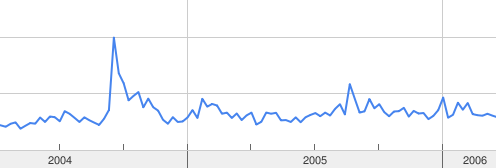
You can see the trends for [google browser] query:


You can even compare up to five terms by separating each term with a comma.
Related Posts Plugin for WordPress, Blogger...