Showing posts with label Google Groups. Show all posts

Google Groups Tests a New Interface

Google Groups tests a new interface that seems to be inspired by Google Reader. There are a lot of great new features: keyboard shortcuts, infinite scrolling, search box autocomplete, a mobile version, integration with Google Profiles and a rich text editor for composing messages.

The new version of Google Groups hasn't replaced the old version because it's not finished and there are still many issues to solve. The right sidebar shows a lot of uninteresting information (announcements, recent searches), but doesn't list your groups. You need to click on "my groups" to see this list and you can also add some of the groups to your favorites. Another issue is that the new interface no longer has a summary view that shows a small snippet from the first message of a thread.


"When you sign in to Google Groups, you'll see a link to preview the new Google Groups. Once there, you can make it your default view (and you can switch back to the old version if you ever need it). We're excited about sharing these improvements with you, but this is just a start; we're working on improved spam controls, moderation, search, and other freatures to make Google Groups the best way to engage in discussions. We also want to hear your thoughts, ideas, and any issues you encounter, so please contribute to our Product Ideas page," suggests Google.

Google Groups Drops Support for Pages and Files

Google sends email notifications to all Google Groups owners to inform them about some unfortunate changes.

"Starting in January 2011, Groups will no longer allow the creation or editing of welcome messages, files and pages; the content will only be available for viewing and only existing files will be downloadable. If you would like to keep the content currently on the pages and files sections of your group, we highly encourage you to export and migrate it to another product. In February 2011, we will turn off these features, and you will no longer be able to access that content."

Google says that you can create pages using Google Sites and store files by attaching them to Google Sites pages. After creating a site, you can invite the members of your group. "Add the email address for the Google Group (for instance, example@googlegroups.com) with which you'd like to share the site, and select the level of access you'd like the members of the group to have."

It's difficult to understand why Google didn't automatically migrate the files and pages to Google Sites. Users could've used these features from the Google Groups interface, even if they were powered by Google Sites.

Google says that the features have been removed "to focus on improving the core functionality of Google Groups -- mailing lists and forum discussions". I don't remember seeing significant improvements from 2006, when Google Groups added the features that are now removed: custom welcome message, pages and files. Since then, Google abandoned almost all its groups and started to use the Help Forum platform. Ironically, even the Google Groups group has been shut down.

Google Groups Integrates with Google's Web Apps

Google Groups is one of the services that would benefit a lot from an integration with Google Calendar, Google Docs, Google Sites and other Google apps. It makes sense to create a document and to collaborate with other group members or to create a calendar and share it with your group.

Google blog announced that the integration is already available. "As an example, imagine you're organizing a local intramural softball team tournament. You use Google Docs to keep track of the rosters for each team as well as each team's performance. You want all the players, but only the players, to have editing access. You already have a Google Group set up with the tournament participants, so you simply share the spreadsheet with the group itself, granting the group members permission to edit."

To share a document, a calendar or a site, use the group's email address (groupname@googlegroups.com) in the sharing dialog.


And if you want to unsubscribe from a group, Gmail makes it easier by adding an "unsubscribe" option when you click on "show options".

Translate Google Groups Threads

Google Groups added an option to translate the messages from a thread. The new feature uses Google Translate API, so it doesn't involve reloading the page.


The translation API is being used by many Google services and other sites. Here's a list of my favorite applications:

8. Picasa Web Albums translates comments automatically.

7. Google Maps reviews can be translated to find some information about businesses from other countries.

6. Translate YouTube's search results by clicking on a checkbox at the top of the page.

5. Twitter's search results can be translated into English and you can filter the results by language.

4. Google Reader translates entire feeds if you enable an option from the feed settings menu.

3. Translate the captions of a YouTube video.

2. Hab.la translates IM conversations. "Say someone visits your site and greets you in a foreign language. As soon as a particular language can be detected, seamless translation between your chosen language (English in our case) and that of your website visitor begins."

1. Real-time translation in an experimental version of Google Toolbar.

{ Thanks, z x. }

Google Forum Search

Much like Google Video, Google Groups expanded its index from the Usenet discussion boards and the Google-hosted groups to almost all discussion boards from the web. The results show the same enhanced snippets that were added to the web search last month.


It's interesting to notice that Google's help forums for different services are moving to a new platform initially created for a Yahoo Answers-like Q&A service. Some of the forums have already migrated (Google Talk, Chrome, AdSense) and the benefits are clear: the new forums clearly delimit answers from questions, answered questions from unanswered questions and they encourage people to answer more questions. After migrating its own help forums, Google might make the platform code-named Confucius available to the public.


{ via Blogoscoped Forum }

Get Email Notifications for Google Groups Threads

Many people visit Google's discussion groups at groups.google.com when something goes wrong in Gmail, Google Reader or any other Google product. The forums are conveniently linked from the support pages and people noticed that email is not the best way to get feedback from Google.

Google Groups doesn't provide an option to be notified when someone replies to one of your topics. Furthermore, when you join a group created for a Google service, the email notifications are disabled by default. There is an option to receive notifications for individual threads, but it's very hard to find it. You have to go to thread you've just created, click on the Options link displayed next to the title and select "Email updates to me". This way, you'll be able to read the answer in your mail client, without having to go to Google Groups and find your post.


Unfortunately, the notifications are sometimes delayed, but Google doesn't provide reliable alternatives. You could manually check the posts from your profile or add an iGoogle gadget that also displays the number of new message from each thread.

The New Google Groups Is Out Of Beta

The slick new Google Groups launched in October last year and available at groups-beta.google.com is now out of beta and moves to groups.google.com.

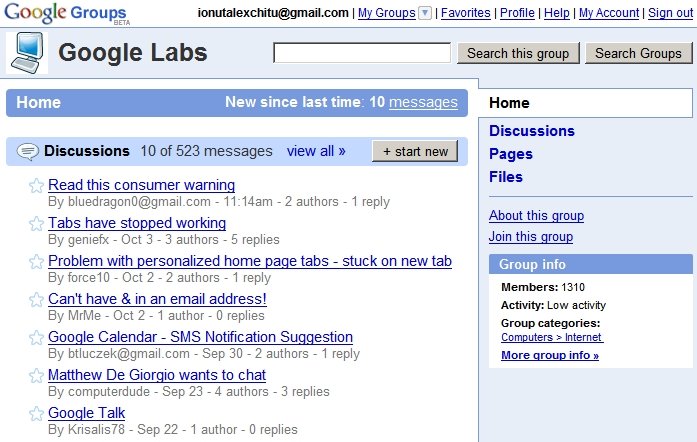
You'll find a cleaner homepage, search results that look more like web search results, topics that borrow a lot from Gmail's conversations. Each group has 100 MB storage space you can use to upload files or to collaboratively edit documents. Groups are much more customizable: you can change the colors and add welcome messages.

Now Google should focus on creating some filters for spam posts and a way to discover potentially interesting groups.

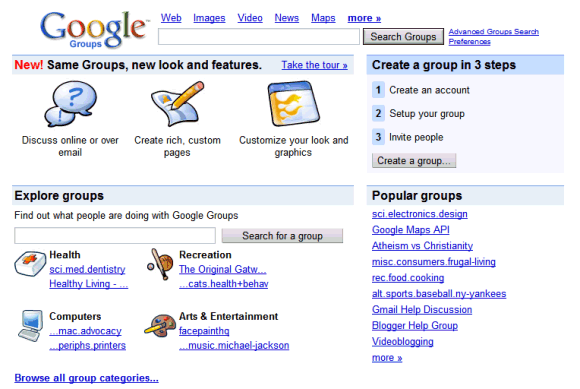
The New Google Groups


What I love about Google products is that when they're finally out of beta, there's a new beta version around.

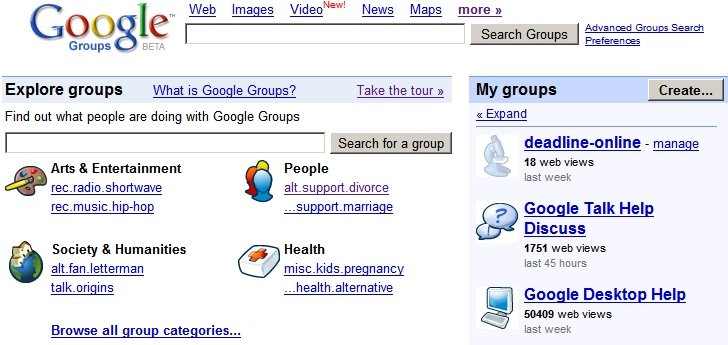
The new Google Groups Beta looks different. It has childish icons for each group, but you can change that. In fact, you can change a big list of settings if you are the owner of a group (select a template, change the navigation, access rights and more).

You can create web pages and upload files (storage: 100 MB) to a group, and that seems to be most important new feature. The web pages can be edited by more people at once and Google Groups shows all saved versions. People can also comment on the page.

Google lets you create a real profile: now you can add a picture and more information about yourself. Each user has a rating, the average rating for your posts.

There's no left sidebar. The recently visited groups moved to a quirky menu that can be accessed from the "My Groups" link. Google merged the two search boxes, so the interface looks cleaner.

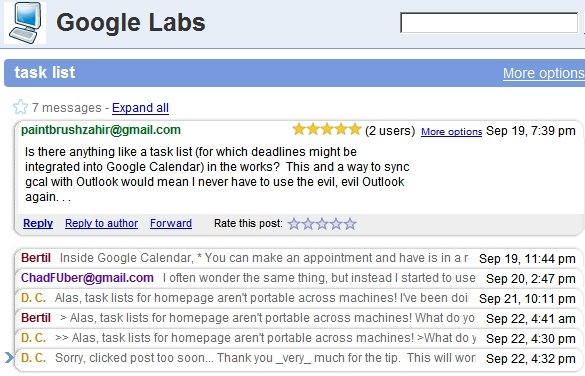
Messages from a topic look exactly like a Gmail conversation, each message is collapsible, can be forwarded or printed. If you don't look carefully, you'll think this is not Google Groups, it's Gmail.

All in all, the new design seems a combination of Gmail and Yahoo Groups. The tight Gmail integration is a nice addition, while the file storage might make migration from Yahoo Groups easier. To quote Mr. Justin Timberlake, Google Groups brings sexy back, and it's mature enough to have all the feature you need.

We can conclude that this is the first transplant from the new Google to the old Google (Google Groups was launched in 2001) and the patient feels much better.

Google's Quest For Information

So you want to organize the world's information and make it universally accessible and useful. Some information is available for free (the web), other information requires subscriptions or should be bought (books), there's information too hard to find (rare documents) and information too personal (your emails).

The first content acquisition for Google was Usenet, a collection of bulletin-board messages. "With more than 500 million individual messages and growing fast, Usenet and its thriving community is one of the most active and valuable information sources on the Internet," said Larry Page in 2001. Google improved the search for the Usenet messages and added the ability to create new groups. Google Groups.

Google bought Blogger in 2003 and along with a blogging platform, it acquired a growing community and an interesting playground. This time, Google doesn't have the intellectual rights for the content created with Blogger, but it can understand better the phenomenon.

With Keyhole, Google got in 2004 a huge database of satellite imagery. "Keyhole's technology combines a multi-terabyte database of mapping information and images collected from satellites and airplanes with easy-to-use software."

While Google usually crawls the web to find information, Google Video was a surprising move. "Upload all your videos to us," said Google last year. While this didn't remove the copyright issues, it was a smarter move than indexing videos from the web. They control the content by controlling the way it is obtained and provide a unified user experience.

Another surprising announcement was a new version of Google News, that will include content from the Associated Press. Google also said it will financially compensate news organizations for their content.

So what do you with all this content you produce and store in your own servers? Marissa Mayer says the line is thin, but they know how to handle it. "Google is a technology company, not a media company. If we were creating content ourselves, that would create a bias and could affect how we would position other content. That's why we've been careful not to create a lot of content."

In an interview from 2004, Larry Page said: "Most portals show their own content above content elsewhere on the web. We feel that's a conflict of interest, analogous to taking money for search results. Their search engine doesn't necessarily provide the best results; it provides the portal's results. Google conscientiously tries to stay away from that. We want to get you out of Google and to the right place as fast as possible. It's a very different model."

It's hard to remain impartial when you produce your own content. When you search for an address, Google shows links to Google Maps and to other competing services like MapQuest. Will this ever change? Will Google try to keep you more on its properties? While this is perfectly understandable from a business point of view, users want the best answers. And many times, Google doesn't have (own) the best answers.

Google Groups Updates


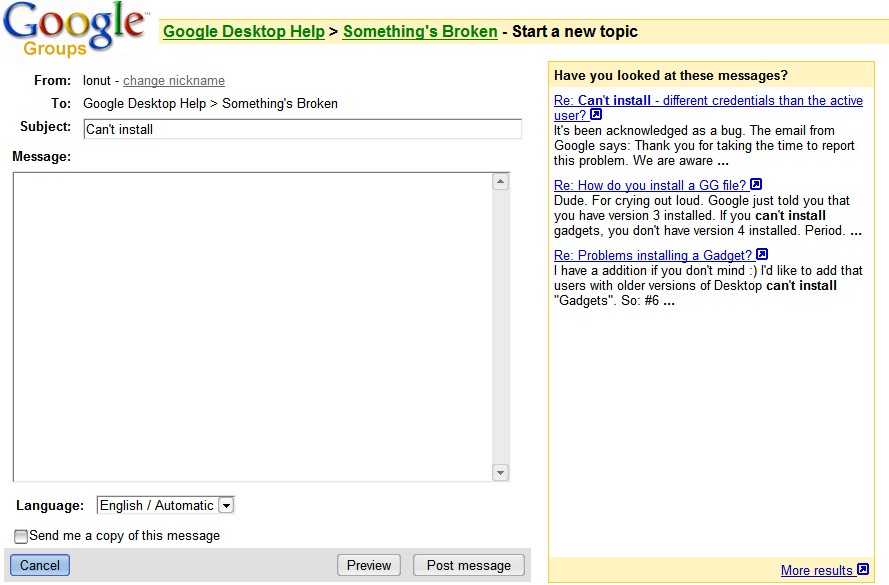
Some Google Groups have an interesting feature. While typing the title of a new topic, Google will show similar topics in a sidebar. This is useful to reduce the number of duplicate posts, as most user don't search for topics before submitting a new one. This implicit search is very powerful and it's currently implemented in the groups owned by Google (like Google Desktop group), but it will most likely be extended to the rest of the groups.

If you have a technical problem or you want to monitor a specific topic, you can also create alerts. There are two kinds of alerts: instant alerts (you'll be notified as soon as Google finds a new match for your query) and digest alerts (you'll get a daily or weekly digest if anything new is found). Besides groups alerts, you can also select web search alerts and news alerts. As Google explains:

"A 'News' alert is an email that lets you know if new articles make it into the top ten results of your Google News search. A 'Web' alert is an email that lets you know if new web pages appear in the top twenty results for your Google Web search. A 'News & Web' alert is an email that lets you know when new articles related to your search term make it into the top ten results for a Google News search or the top twenty results for a Google Web search. A 'Groups' alert is an email that lets you know if new posts make it into the top fifty results of your Google Groups search."

You can add operators to your group alert. Some examples:

* add [author:email@gmail.com] to restrict a search to posts created by an author. Be sure to use the author's posting email address.

* add [insubject:query] to search only on the subject lines of the posts. For example, if you want to find posts that contain Google Mini in the subject line, type [ insubject:"google mini"].

Google Groups is a good place to solve technical problems and most Google products have a support group.
Related Posts Plugin for WordPress, Blogger...